To edit your subscriptions, go to the
My Profile tab and select
My Subscriptions.
On this page you will see a list summarizing your subscriptions. The eGroups to which you are subscribed will appear in bold:
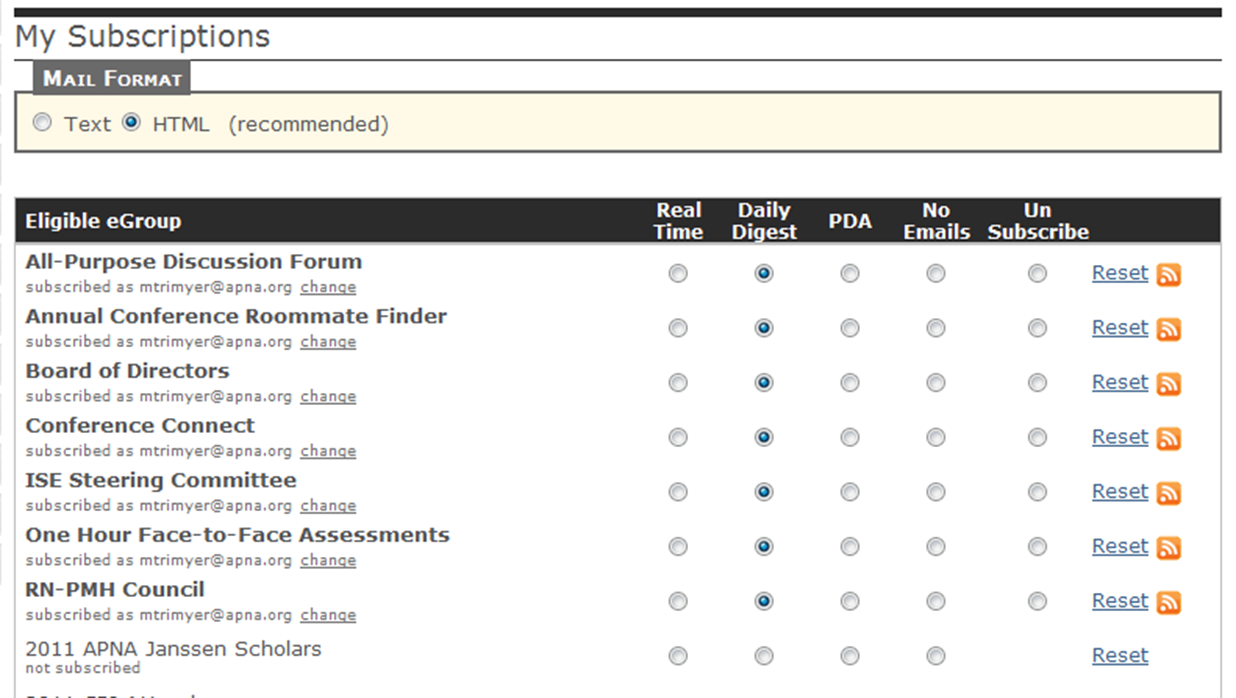
On this page you can change your subscriptions, the email address to which a particular subscription goes, and the email format.
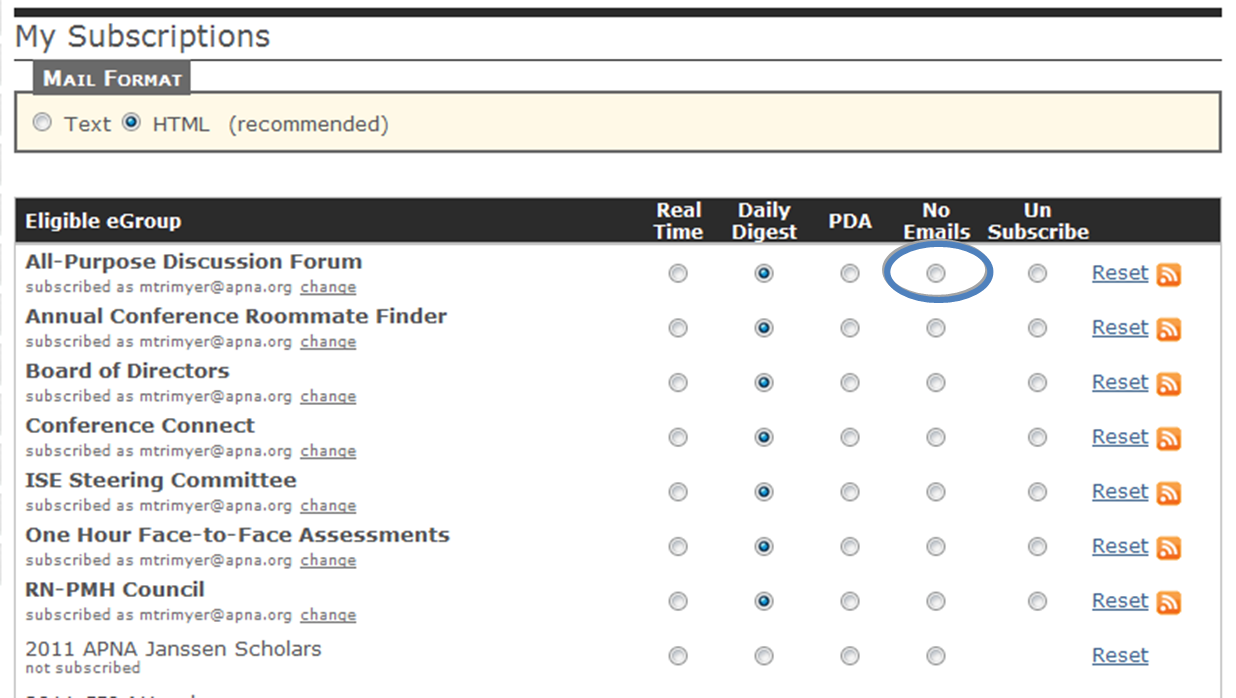
NOTE: To unsubscribe from the All-Purpose Discussion Forum, select the No Emails option. The Unsubscribe option will not work for this eGroup:
After you have made your changes, scroll down and hit the
Save button to save your new subscription preferences:
 A little more information:
- In the Mail Format box you have the option to choose html or text. We recommend using the default setting, html. The text setting will strip all the links, formatting, and pictures from the emails you receive. You may want to change to text; however, if your daily digest emails are getting caught in your email client's spam filter.
- You have a variety of options to choose from when editing your subscriptions: Real Time, Daily Digest, PDA, No Emails. The Real Time setting means that you will receive an email every time a message is posted to the eGroup. With the Daily Digest option, you receive one email every day that includes all of the messages posted to that eGroup within the past 24 hours. PDA is similar to the Daily Digest option, the only difference being that your daily digests will be sent in a plain text format. When you select No Emails, you can still access the eGroup's content by logging in to Member Bridge, but you will be sent any email notifications. Finally, to leave an eGroup, select Unsubscribe. (Remember that the Unsubscribe option will not work for the All-Purpose Discussion Forum. To stop the daily digest emails from the All-Purpose Discussion Forum, select No Emails.)
- eGroups can also be subscribed to as RSS Feeds. To do so, simply select the orange button next to the subscription options of the eGroup to which you wish to subscribe.